# Before Spoofing
{% hint style="info" %} This Guide is for DevilSpoofer!
{% endhint %}
### 1. Disable Anti-Virus
Before using DevilSpoofer, you have to disable Windows Defender and any other 3rd party antiviruses you might have.
{% content-ref url="/pages/XqSawUoUXJiUhkLA4cPo" %}
[Disable Anti-Virus](/spoofer-tutorial/you-ll-be-linked-to-if-needed/disable-anti-virus.md)
{% endcontent-ref %}
***
### 2. Install Required Tools
You will need to install [VC Runtimes](https://www.techpowerup.com/download/visual-c-redistributable-runtime-package-all-in-one/) and you are set to go.
Additionally, make sure your Windows username does not have any spaces, otherwise, the spoofer can break due to its logic.
***
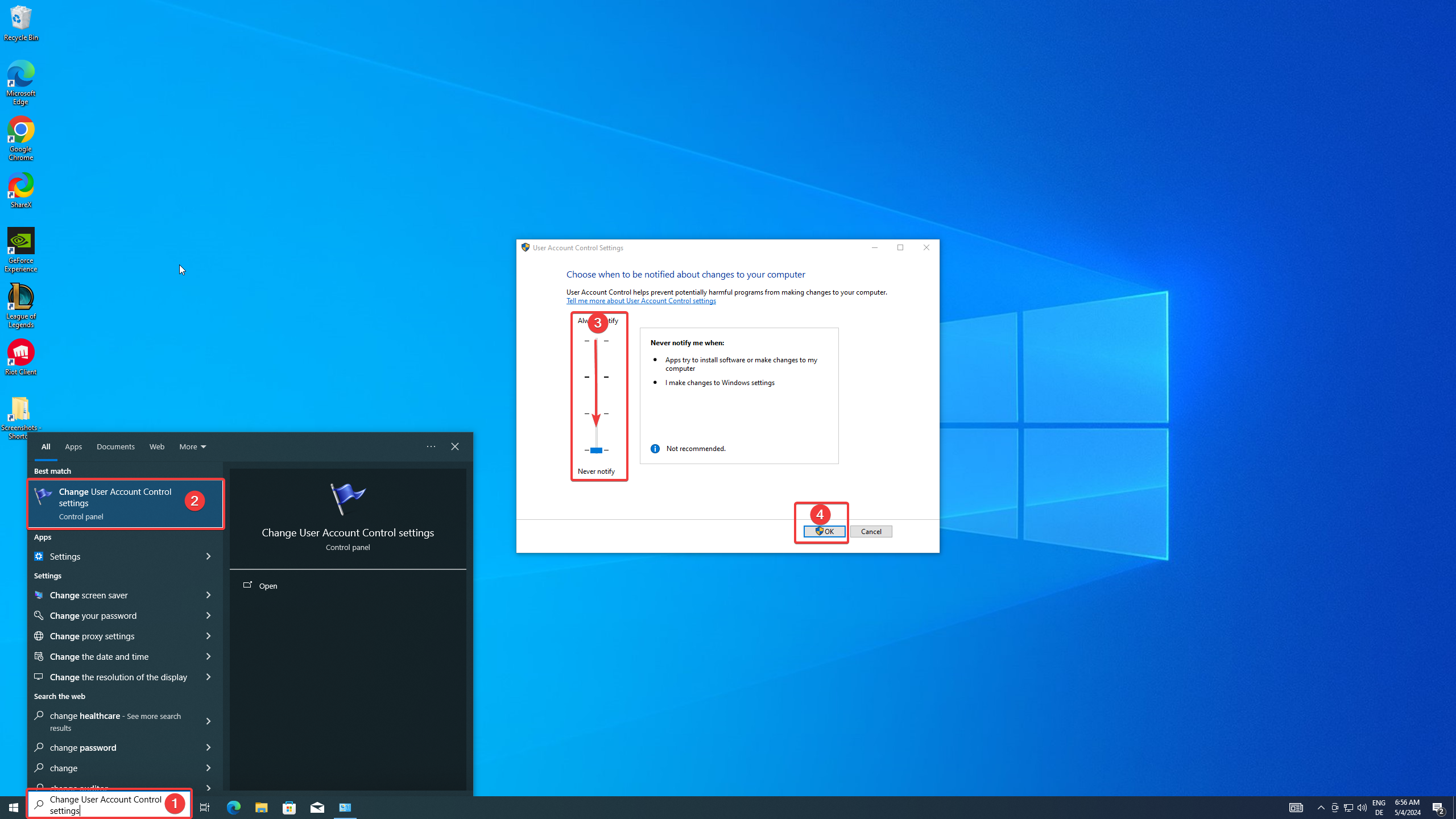
### 3: Deactivate Windows UAC
– Search for Change User Account Control settings in the Windows search\
– set the controller to never notify and confirm with OK
***
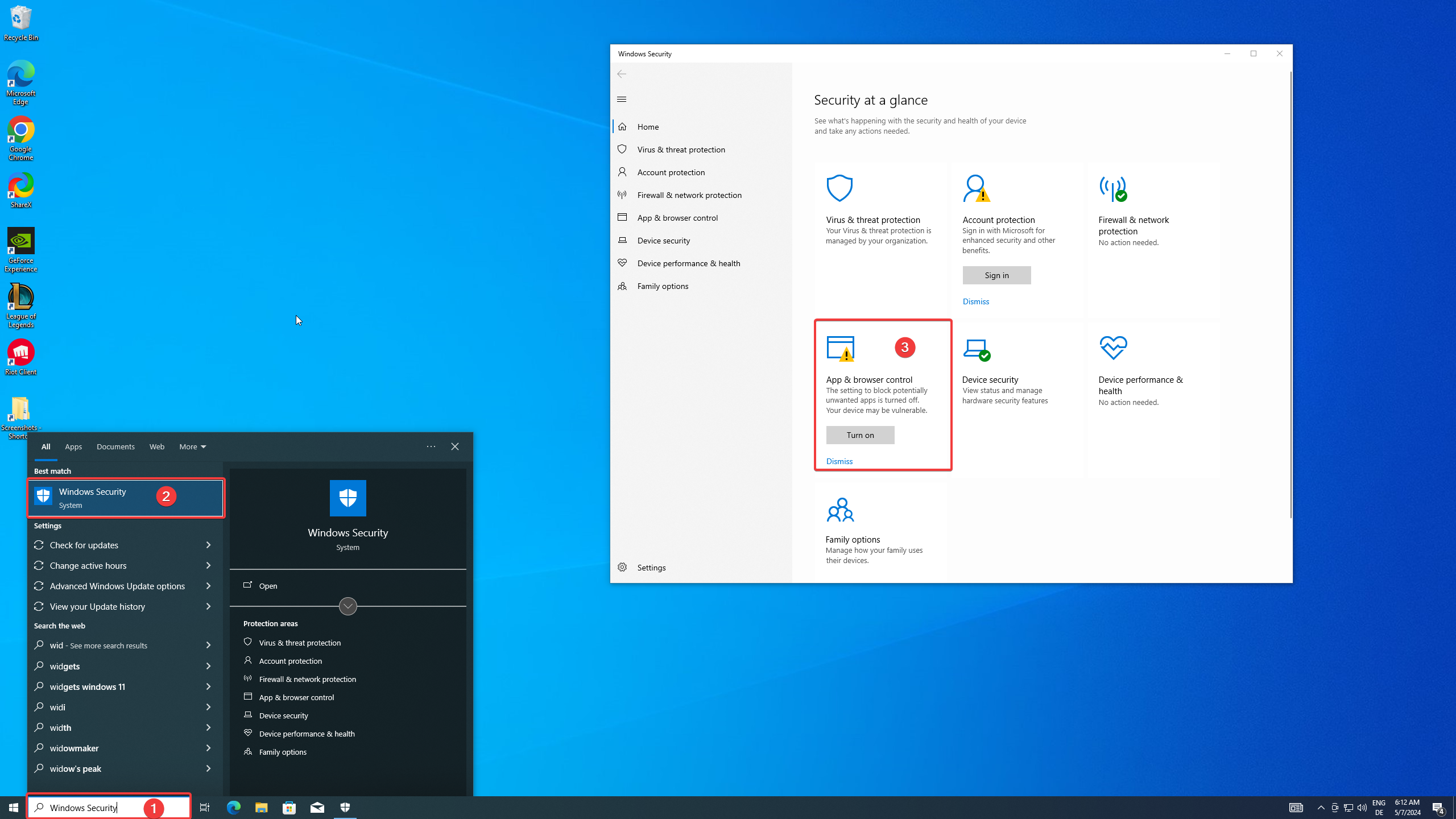
### 4. Deactivate SmartScreen
– Open Windows Security\
– Open App & browser control Tab\
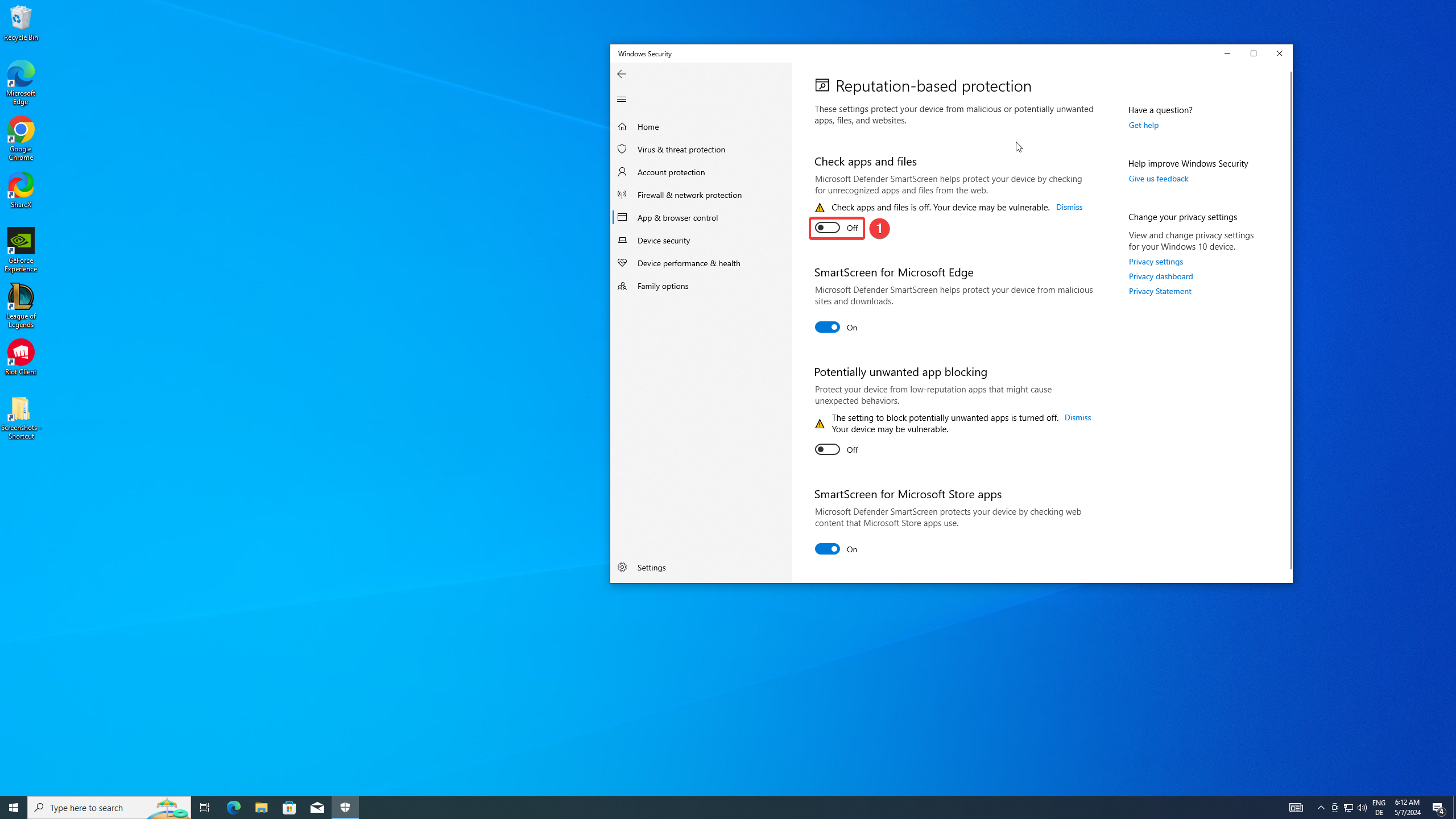
– Open Reputation-base protection settings
– Disable Check apps and files
***
### 5. Choose your Spoofing Method
Games which REQUIRE a format use this tutorial:
{% content-ref url="/pages/jmYieXRiEmQfwiObyQXM" %}
[Spoof with Reinstall](/spoofer-tutorial/devilspoofer-guide/spoof-with-reinstall.md)
{% endcontent-ref %}
Games which does NOT REQUIRE a format use this tutorial:
{% content-ref url="/pages/2q722fkOC5UzJPnIDcZD" %}
[Spoof without Reinstall](/spoofer-tutorial/devilspoofer-guide/spoof-without-reinstall.md)
{% endcontent-ref %}
{% hint style="warning" %} This table can be outdated. Make sure to check our [homepage ](https://lol-script.com/hwid-spoofer)to get the latest status. But even then its not 100% sure that everything is up to date. We cannot check every game in real time. It´s recommended that you always reinstall windows.
{% endhint %}
***
---
# Agent Instructions: Querying This Documentation
If you need additional information that is not directly available in this page, you can query the documentation dynamically by asking a question.
Perform an HTTP GET request on the current page URL with the `ask` query parameter:
```
GET https://stealthcore.gitbook.io/spoofer-tutorial/devilspoofer-guide/before-spoofing.md?ask=
```
The question should be specific, self-contained, and written in natural language.
The response will contain a direct answer to the question and relevant excerpts and sources from the documentation.
Use this mechanism when the answer is not explicitly present in the current page, you need clarification or additional context, or you want to retrieve related documentation sections.